# Install Ubuntu Desktop on Windows 11
**URL:** https://eijil.com/t/install-ubuntu-desktop-on-windows-11/463
**Category:** 其它
**Created:** [October 15, 2023, 5:32am UTC](https://eijil.com/t/install-ubuntu-desktop-on-windows-11/463 "2023-10-15T05:32:36Z")
**Posts on this page:** 5
**Page:** 1
### Author:  [@Tristan](https://eijil.com/u/Tristan)
#### Post date: [October 15, 2023, 5:32am UTC](https://eijil.com/t/install-ubuntu-desktop-on-windows-11/463/1 "2023-10-15T05:32:36Z")
During the past, we need to manually enable some features on windows in order to install linux, but this time we’re going to install the Ubuntu by typing some simple commands:
Open up powershell as administrator
```auto
wsl --install
```

list all the linux distros can be installed
```auto
wsl --list --online
```
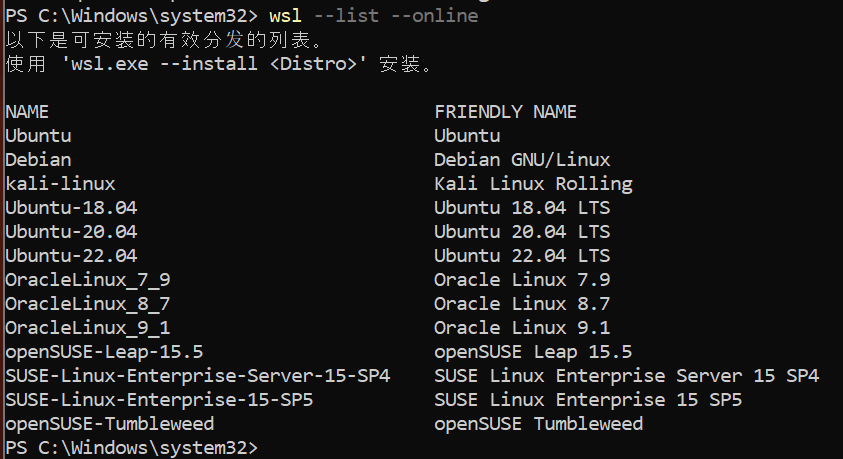
install ubuntu 22.04 LTS
```auto
wsl --install -d Ubuntu-22.04
```
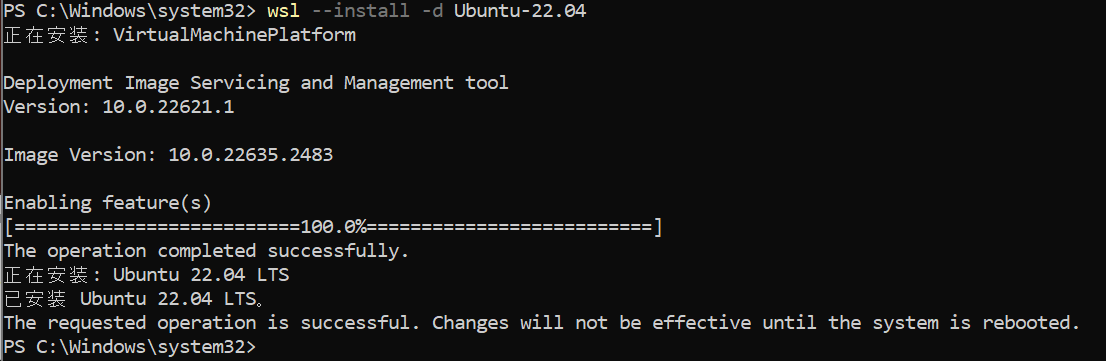
restart your PC
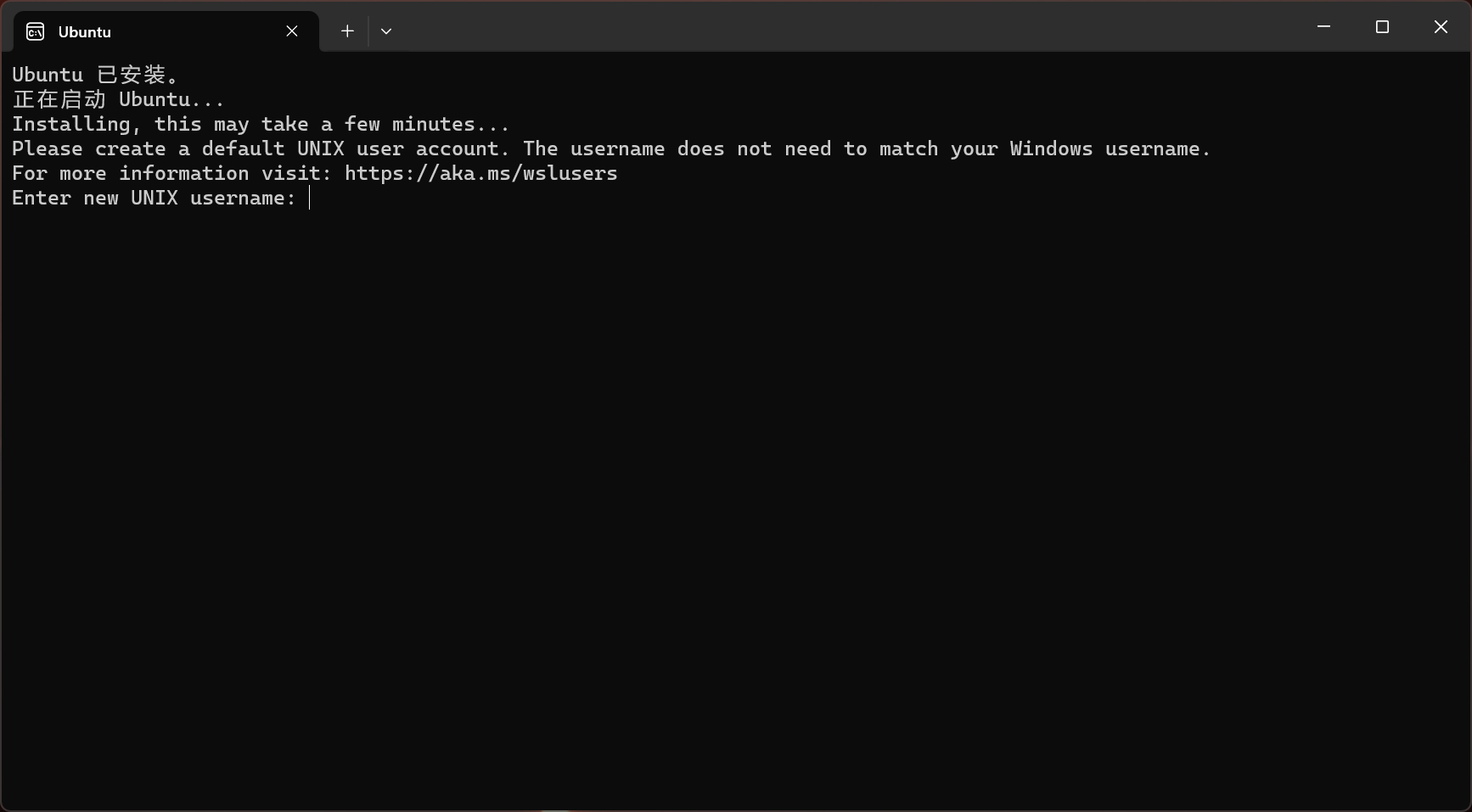
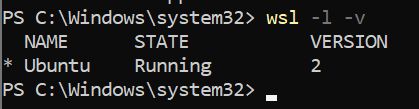
type in the username and a cool password, then check if the ubuntu is running by typing the following command in powershell
```auto
wsl -l -v
```
update ubuntu to the latest version
```auto
sudo apt update && sudo apt dist-upgrade
```
the systemd is enable by default:
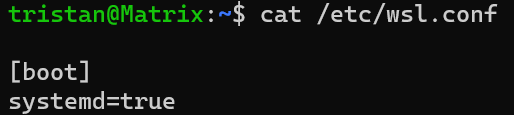
install gnome desktop by following these [steps](https://x410.dev/cookbook/wsl/running-ubuntu-desktop-in-wsl2/).
after a long time wait, run the following command:
```auto
gnome-session
```
stop VMs
```auto
wsl --shutdown
```
remove wsl linux system:
```auto
wsl -t Ubuntu # terminate the system
wsl --unregister Ubuntu # delete the system
```
---
### Author:  [@Tristan](https://eijil.com/u/Tristan)
#### Post date: [November 12, 2023, 7:48am UTC](https://eijil.com/t/install-ubuntu-desktop-on-windows-11/463/2 "2023-11-12T07:48:43Z")
@Chatbot what’s the subject of this post? and what time is it now?
---
### Author:  [@Chatbot](https://eijil.com/u/Chatbot)
#### Post date: [November 12, 2023, 7:48am UTC](https://eijil.com/t/install-ubuntu-desktop-on-windows-11/463/3 "2023-11-12T07:48:55Z")
The subject of this conversation is Install Ubuntu Desktop on Windows 11 and the current time is 2023-11-12T07:48:51+00:00.
---
### Author:  [@Tristan](https://eijil.com/u/Tristan)
#### Post date: [November 12, 2023, 7:49am UTC](https://eijil.com/t/install-ubuntu-desktop-on-windows-11/463/4 "2023-11-12T07:49:38Z")
Good.
Now please summarize this post plz? @Chatbot
---
### Author:  [@Chatbot](https://eijil.com/u/Chatbot)
#### Post date: [November 12, 2023, 7:49am UTC](https://eijil.com/t/install-ubuntu-desktop-on-windows-11/463/5 "2023-11-12T07:49:46Z")
Sure, please find below the summary of this post:
- The post provides instructions on how to easily install Ubuntu Desktop on Windows 11.
- You need to open up PowerShell as an administrator and type in some simple commands to install Ubuntu.
- The post includes screenshots of all the commands used for easy reference.
- Once Ubuntu is installed, you can check if it is running by typing a command in PowerShell.
- You can update Ubuntu to the latest version by running a command in the terminal.
- Finally, if you want to remove the WSL Linux system, specific commands can be used to terminate or delete the system.